






















Inventory Lists for Small Retail Stores: Complete Guide with Examples
By Rackbeat January 14, 2026
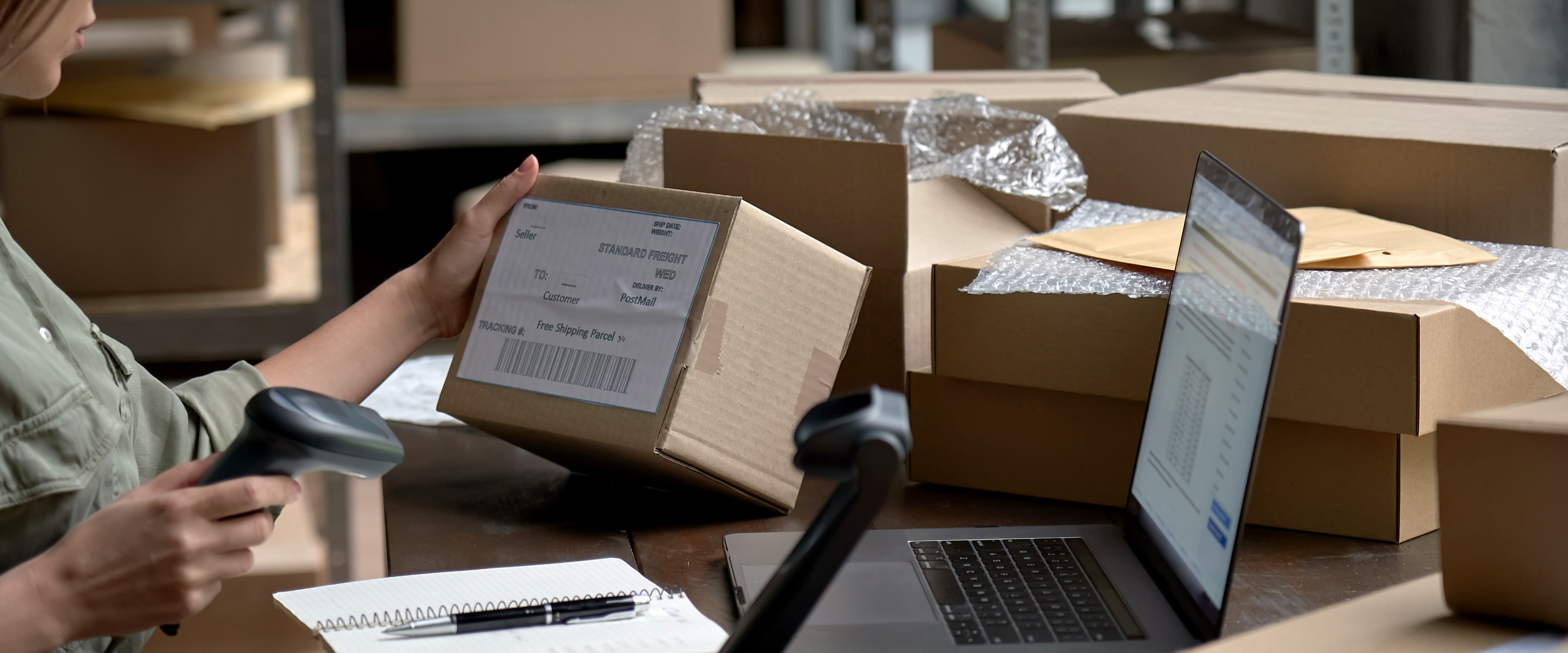
A well-maintained inventory list is one of the most underrated tools for small retail stores. Whether you run a boutique, a wine shop, a clothing store, or a specialty shop, a clear and structured store inventory list can give you the overview you need when things get busy.
In this guide, you’ll get:
A clear explanation of what an inventory list is
The key benefits of using one in a small store
A step-by-step guide to creating your own inventory list
Examples of inventory lists for different store types
Insights into when it makes sense to switch to digital tools
Inspiration for how to use your inventory list in daily operations
Whether you’re using spreadsheets, pen and paper, or considering a digital inventory system, this guide will help you stay organized — without overcomplicating things.
What Is an Inventory List?
An inventory list is an overview of the products you have in stock. It typically includes:
Product name and SKU
Quantity in stock
Purchase price and/or retail price
Location in store or backroom
Product category or supplier
Status (e.g., damaged, out of stock, returned)
A store inventory list can be managed in a spreadsheet, on paper, or through an inventory management system. The more up-to-date and accessible it is, the easier it becomes to make decisions based on your stock levels.
Why Is an Inventory List Important in a Small Retail Store?
Even in a smaller store with a manageable product range, things can quickly get out of hand. New stock arrives, some products are returned, others go missing — and suddenly your numbers don’t match reality.
An updated store inventory list is not just “nice to have” — it’s a vital tool that brings structure and clarity to your day-to-day business. Here’s why:
1. Avoid stockouts that cost you sales: Knowing what you have — and what’s running low — helps you reorder on time and avoid missing sales.
2. Avoid overstocking, which ties up capital and shelf space: A clear list helps you buy smarter and avoid overfilling your store with unsellable items.
3. Improve customer service by always knowing what’s in stock: When a customer asks about a product, you’ll know the answer right away — no need to go check the backroom.
4. Simplify stock counting and receiving: A well-kept inventory list makes stock counts and new deliveries faster and more accurate.
5. Prepare for sales and promotions: Your list helps you identify slow-moving items, so you can clear space with a targeted discount or seasonal sale.
6. Work better with your suppliers: When you have reliable stock data, you can place more accurate reorders and communicate better with your vendors.
In short: A well-maintained inventory list gives you insight, control, and peace of mind — and helps you make smarter business decisions.
How to Create an Effective Store Inventory List
Whether you’re starting from scratch or improving an existing list, here’s a practical step-by-step guide to building a useful inventory list for your store.
1. Choose your format
If you have a limited number of products, a simple spreadsheet in Excel or Google Sheets works well. If you want to automate more, a digital inventory management system like Rackbeat can help.
2. Add these columns to your list:
SKU or product ID
Product name
Category (e.g., clothing, accessories, home goods)
Quantity in stock
Purchase price
Retail price
Storage location in store/backroom
Supplier
Comments or notes (e.g., discontinued, backordered, defective)
3. Keep your list updated
Inventory isn’t static. Make sure to update the list whenever you:
Receive new stock
Sell items
Return products to suppliers
Conduct a stock count
This can be done manually or automatically if you use a digital system that updates stock levels with every sale or delivery.
4. Use filters or color codes
In spreadsheets, simple formatting tricks like color codes or filters can help you highlight low-stock items or flag products that haven’t sold in a while.
Examples of Inventory Lists for Stores
Example 1: Small Clothing Store
| SKU | Product Name | Category | Quantity | Purchase Price | Retail Price | Location |
|---|---|---|---|---|---|---|
| 101 | Black T-shirt | Clothing | 24 | $10.00 | $25.00 | Rack A1 |
| 102 | Jeans Model X | Clothing | 12 | $30.00 | $65.00 | Shelf B2 |
Example 2: Gift and Home Goods Store
| SKU | Product Name | Category | Quantity | Purchase Price | Retail Price | Comment |
|---|---|---|---|---|---|---|
| 201 | Lavender Scented Candle | Gifts | 5 | $4.00 | $12.00 | Best seller |
| 202 | Mug with Quote | Kitchen | 20 | $2.50 | $8.00 | New item |
When Does It Make Sense to Go Digital?
If you’re spending more time counting stock than serving customers — or you’re constantly double-checking your numbers — it might be time to consider a digital solution. With Rackbeat, you can:
Automatically update inventory after sales and deliveries
See real-time stock status from anywhere
Connect inventory with your accounting system
Manage sales and purchase management in one place
Reduce human error by using barcode scanners during picking and receiving
Even if your store is small, switching to a simple and user-friendly system can free up time and give you a clearer picture of your inventory.
Conclusion: Get Control without Overcomplicating
A well-structured store inventory list is a simple but powerful tool that helps you stay in control. You don’t need a complex system — just something that works for you and that you can update regularly.
And when the time comes to scale up or simplify even more, a solution like Rackbeat can make inventory management digital, easier, and fully aligned with how you run your store.
Want More Tips on Inventory and Store Management?
Sign up for the Rackbeat newsletter and get monthly updates with hands-on guides, industry insights, and tools to streamline your store operations:
Recommended For You
What is a Warehouse Management System - and Why is it Important?
Rackbeat Jan 4, 2022 3:00:11 PM