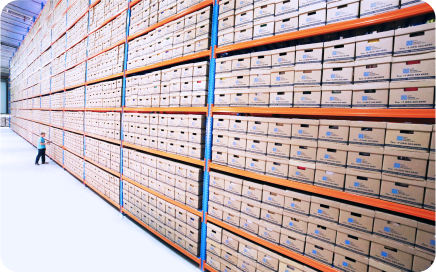
























Multi-brand inventory management without the chaos: what to get right from the start
If you manage multiple brands in the same warehouse — perhaps both private label and external brands — you probably recognize the feeling: Everything works… until it doesn’t. A campaign takes off, a supplier changes a barcode, the webshop sells the “same product” in two variants, and suddenly you’re dealing with backorders, picking errors, and frustrated customers.
Multi-brand inventory management is not about squeezing more products onto fewer shelves. It’s about creating one coherent flow across data, processes, and systems so you can sell multiple brands through multiple channels without creating your own warehouse chaos.
This article takes a practical approach and covers:
Where multi-brand setups typically break down (and why)
How to build master data and SKU structures that scale
How layout, replenishment, and WMS/ERP configuration make operations run smoothly
When the foundation is in place, it becomes much easier to expand with new brands, new channels, and higher order volumes — without having to “reinvent” your warehouse every time.
What is multi-brand inventory management – and why does it often go wrong?
In an SME/B2B context, multi-brand inventory management typically refers to operating one physical warehouse (or a few locations) while selling multiple brands with different product catalogs, suppliers, prices, barcodes, and customer types. At the same time, you may be selling across several channels: B2B customers, webshop, and possibly marketplaces. This can work very well — but only if your product data and processes are standardized.
Things often go wrong because complexity creeps in without anyone taking an overall design approach. New product lines are added, naming conventions change, packaging sizes vary — and suddenly it becomes unclear what is actually the “same product” and what the system should interpret as identical.
Typical scenarios: multiple brands, one warehouse, multiple channels
A classic scenario: one brand is primarily sold B2B in large orders, while another brand is sold D2C via webshop with small picks and many variants. Add marketplaces, where requirements for EAN/UPC, product data, and delivery promises are stricter. It’s the same physical warehouse — but very different order flow requirements.
If you also manage both private label and external brands, you typically face different supplier requirements, minimum order quantities, lead times, and packaging logic. Without fixed standards, you end up managing exceptions instead of operations.
Practical error sources: SKU chaos and inconsistent processes
Most problems can be traced back to two sources: (1) unclear product identities and (2) inconsistent processes between systems. Here are common symptoms when multi-brand inventory management has not been designed — but has simply “grown organically”:
Duplicate item numbers/SKUs because the same product is created multiple times
Multiple barcodes per item without mapping (or mapping handled in spreadsheets)
Packaging sizes (unit/carton/pallet) handled differently from brand to brand
Unclear return flows, causing returned goods to end up in “no man’s land” and distort inventory levels
Lack of synchronization between ERP, webshop, and warehouse, leading to sales of products not actually in stock
Note: You can have skilled warehouse staff and still face problems. If the structure isn’t unambiguous, even the best operations turn into firefighting.
The foundation of multi-brand inventory management: Master data, SKU structure, and standards
If you want control over multiple brands in the same warehouse, you must start with a “single source of truth” in your master data. Clear SKUs, consistent variant logic, and well-defined unit standards are what keep your setup stable as you add more brands, orders, and integrations.
This also means being able to map internal SKUs to external identifiers such as EAN/UPC. External sales channels may require their own identifiers — but the warehouse must always know exactly what physically sits on the shelf.
How to build a scalable SKU model
You don’t need to overcomplicate it — but you must be consistent. A scalable model typically includes brand, product, and variant as fixed elements. You should also distinguish between sales SKUs and the SKUs you actually stock, especially when selling bundles or kits.
A practical starting point is defining your SKU model as a short standard that everyone follows:
Fixed structure (e.g., brand prefix + product code + variant code)
Variant rules (size, color, length, etc. always in the same position/format)
Unit standards (unit/carton/pallet) with conversion factors in the system
Rule for bundles/kits: sales SKU separated from stocked/component SKU (via BOM)
Mapping between internal SKU and external barcodes/EAN per channel, where necessary
When these five elements are in place, everything else (picking, stock counting, replenishment, reporting) becomes significantly more stable — because the system no longer has to “guess.”
Practical example: Two brands, same product – avoid duplicate inventory
You may face situations where two brands essentially sell the same physical product (e.g., same component, same size), but with different labels, descriptions, or target audiences. The classic mistake is creating two separate stocked items, thereby generating “duplicate inventory” in the system where stock is split and difficult to trust.
Instead, you can often manage this as shared component inventory via Bills of Materials (BOM), where the brand product “consumes” the component. Alternatively, you can maintain one stocked SKU as the physical item and map multiple sales identities to it. This requires strict master data discipline — but provides more accurate stock visibility and reduces unnecessary capital tied up in inventory.
Operations and optimization: Warehouse layout, replenishment, and system configuration
Once the data foundation is in place, the next step is ensuring that daily operations follow the same logic. Layout, locations, picking, and replenishment must support multiple brands without making employees’ work more complicated. The key rule of thumb: design the warehouse for speed and accuracy — not brand silos.
Warehouse layout for multiple brands: zones, ABC, and picking routes
It’s tempting to physically divide the warehouse by brand — but this is often inefficient. In practice, it’s better to place products according to turnover rate (ABC analysis) and let the system handle brand reporting. If an A-item sells continuously, it should be located where it enables the fastest picking — regardless of brand. Consider zone picking if you operate with high volume and many simultaneous orders.
A consistent location logic is essential: clear location naming, fixed put-away rules, and no “temporary” spaces that become permanent. The more brands you manage, the more ad hoc placements will penalize you later.
Purchasing and replenishment per brand: setting the right parameters
Replenishment is rarely “one size fits all” in a multi-brand setup. Lead times, minimum order quantities (MOQ), and seasonal variations differ across suppliers and brands, so your parameters must reflect reality per SKU. A simple and robust setup includes:
Define lead time per supplier/SKU (preferably based on historical data rather than guesswork)
Set safety stock based on demand variability (higher variability = larger buffer)
Calculate and maintain reorder point (ROP) per SKU
Incorporate MOQ, carton sizes, and seasonal campaigns as separate rules
Establish a fixed review cadence (e.g., monthly for A-items, quarterly for C-items)
The goal is not to get it perfect from day one — but to make it systematic. When parameters are maintained consistently, backorders decrease and purchasing management becomes more stable.
System requirements: What your ERP/WMS must support
When running multiple brands in the same warehouse, system requirements become clearer. You need strict product and variant control, support for multiple barcodes per item, and often batch/lot or serial number handling, depending on your products and traceability requirements. Most importantly: integrations must be stable — otherwise you end up with different versions of the truth across webshop, ERP, and warehouse.
A WMS or an ERP with strong warehouse functionality should at minimum support real-time updates to your sales channels, ensuring stock levels and reservations follow order intake. If you currently rely on manual exports/imports or “daily syncs,” multi-brand volume will eventually outgrow that setup.
Get more warehouse insights every month: Sign up for our newsletter (and improve your multi-brand inventory management)
Multi-brand inventory management becomes easier once you’ve done the unglamorous work: standards, master data, and clean flows. The payoff is significant: fewer picking errors, better visibility, less firefighting, and inventory management that scales as you add new brands or channels.
If you’d like more practical guidance on processes, system configuration, and operations (without fluff), sign up for our monthly newsletter. You’ll receive short, actionable insights you can apply immediately — helping you keep your multi-brand inventory management structured and efficient, even during peak periods: